
Overcoming bans
Understanding ban messages
"Leave XYZ to join the experience"
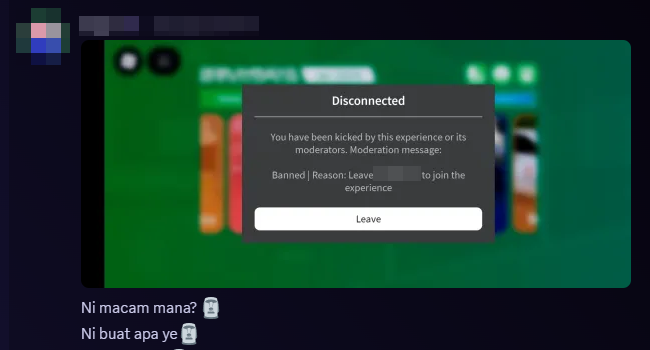
This message indicates that you are banned from entering MYSverse due to your membership in a specific Roblox group. "XYZ" represents the name of the group causing the ban.
Key terms
- Ban: A restriction preventing access to MYSverse.
- Roblox Group: A community within Roblox with a name, badge, and members.
- Blacklist: A list of groups banned by MYSverse.
Types of bans
Group ban
Occurs when you are a member of a blacklisted Roblox group. This is the most common type of ban.
Individual ban
Your account is specifically banned, usually for rule violations. These bans have a set duration.
Common questions
Why am I banned even though I did nothing?
Most bans are group bans, meaning you are part of a blacklisted Roblox group. Individual bans are less common.
Resolving a group ban
Steps to leave a blacklisted group
- Open your Roblox profile.
- Navigate to the "Communities" tab.
- Locate the group mentioned in the ban message.
- Click "Leave Community" to exit the group.
- Wait a few minutes and try rejoining MYSverse.
Checking blacklisted groups
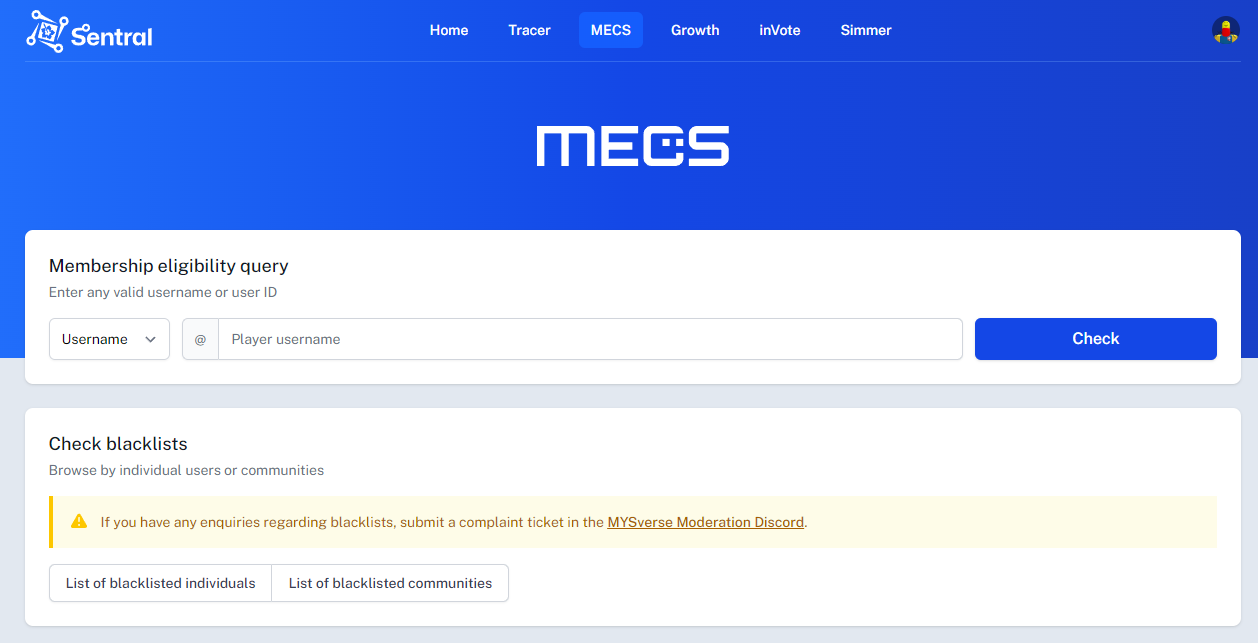
Use the Sentral platform to view blacklisted groups:
URL: Sentral Dashboard
Sentral provides game statistics, analytics tools, and information about blacklisted groups.
Solutions that won't work
Avoid these methods as they won't resolve the issue:
- Creating a new account: The ban persists if you remain in the group.
- Just waiting: Group bans don't expire automatically.
- Changing your username: This doesn't affect group membership.
- Logging out and back in: The ban is tied to group membership, not your session.
- Asking friends to "unban" you: You must leave the problematic group.
Individual bans
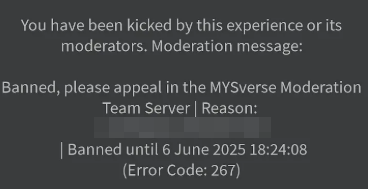
Time zone information
Ban durations are displayed in UTC.
- For players in Malaysia: Add 8 hours to the displayed time.
Example:
- Ban lift time: 14:00 UTC
- Malaysia local time: 22:00 (10:00 PM)
Troubleshooting steps
Step 1: identify the type of ban
If the message mentions a group name, it's a group ban. Otherwise, it may be an individual ban.
Step 2: check the Sentral platform
Visit the Sentral dashboard to confirm which group is causing the issue.
Step 3: leave the problematic group
Go to the group's page on Roblox and click "Leave Group." Ensure you have successfully left the group.
Step 4: try to rejoin
Wait a few minutes after leaving the group, then attempt to join MYSverse again.
Frequently asked questions
Can I rejoin the group after playing?
Not recommended. You will be banned again if the group remains blacklisted.
What if I still can't join after leaving the group?
If issues persist, it may be an individual ban. Contact the support team via Discord or the official platform.
After leaving the group, please wait a few minutes for Trello to update your status. This delay occurs because the system requires up to 60 seconds for HTTP processing. Once updated, you should be able to rejoin MYSverse.
Why are certain groups blacklisted?
Groups are blacklisted for reasons such as:
- Violating MYSverse community rules.
- Engaging in spam or harassment.
- Being associated with bots or fake accounts.
- Violating Roblox terms of service.
- Promoting inappropriate content.
Where can I get further help?
For assistance, contact moderators via Discord MYSverse Moderation or refer to the full documentation on the official MYSverse website.